
Meeting Room “Resource Delegate” Guide
Depending on the setup of a particular meeting room, yourself or a group you are a member of may be required to approve or deny meeting requests before they are confirmed to the user. Follow these instructions to carry out the approval process.
1. You will receive an email requesting approval for a meeting held in a room you manage. Depending on the room, this may be directly to an individual, or to a shared mailbox.
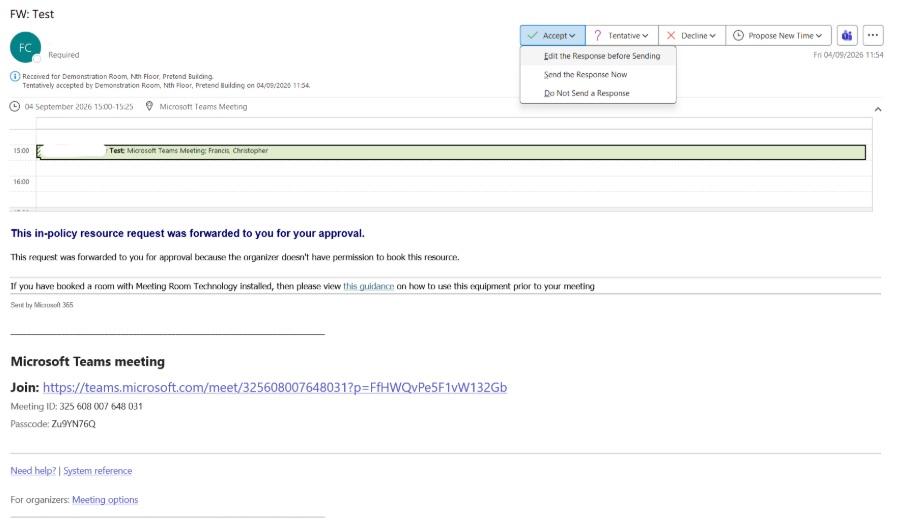
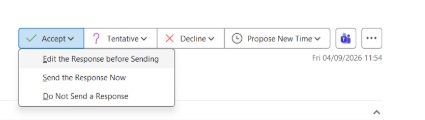
2. Depending on whether you use the old or new Outlook, the actions to respond to the request are different
a. Old Outlook:
Use the “Accept”, “Tentative” or “Decline” buttons at the top of the email
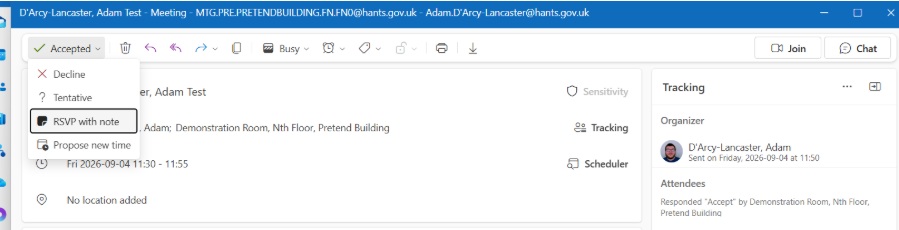
b. New Outlook:
Access the meeting invitation through the calendar tab, double click, and choose a response from the dropdown menu. The calendar for the meeting room must be added to your outlook as a one off in the first instance
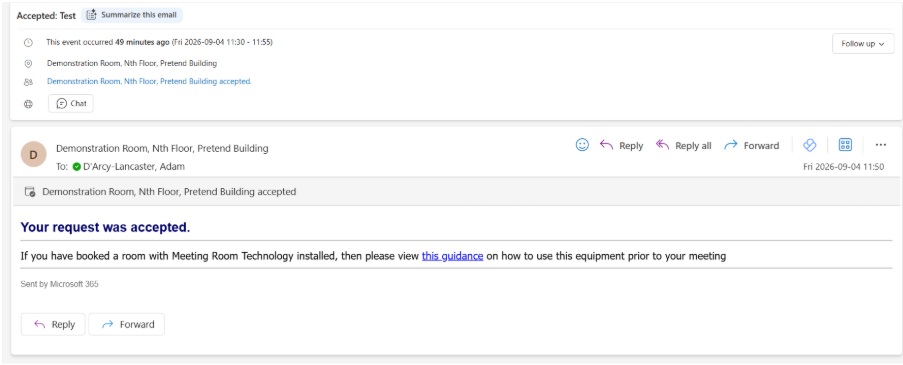
3. The requestor will receive your response in an email
4. To avoid multiple responses to the same request by others with access to a shared mailbox, delete or move any actioned requests.
If you require further assistance when using meeting room technology please contact FM team on 01962 832400 or via email [email protected].