
Linking, switching and deleting supplier accounts
You can manage your existing supplier accounts by logging into Supplier Self-Service. Within the account you can link supplier accounts to your profile, switch between accounts and delete profiles held on the account.
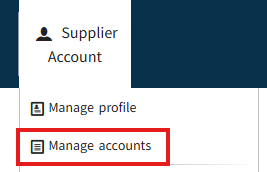
Log into your supplier account and click on Manage accounts.
- Link additional supplier accounts
-
To link a supplier profile to additional supplier accounts:
- Select 'Manage Accounts' from the Supplier Account menu. You will be able to view the supplier accounts that are currently linked to your profile.
- Press 'Add account'. Enter in the relevant supplier number and press 'Link to your supplier account'. Note: If you already have multiple accounts, you will need to click into one of your accounts to see the ‘add account’ option.
- Enter the one-time password (OTP) sent to the supplier’s secure access number. You will then see a confirmation message that you are connected to your new supplier account.
If the code appears to have been sent to the correct number but you did not receive it, check that it has not gone to your SMS spam messages and your mobile phone allows texts from unknown senders.
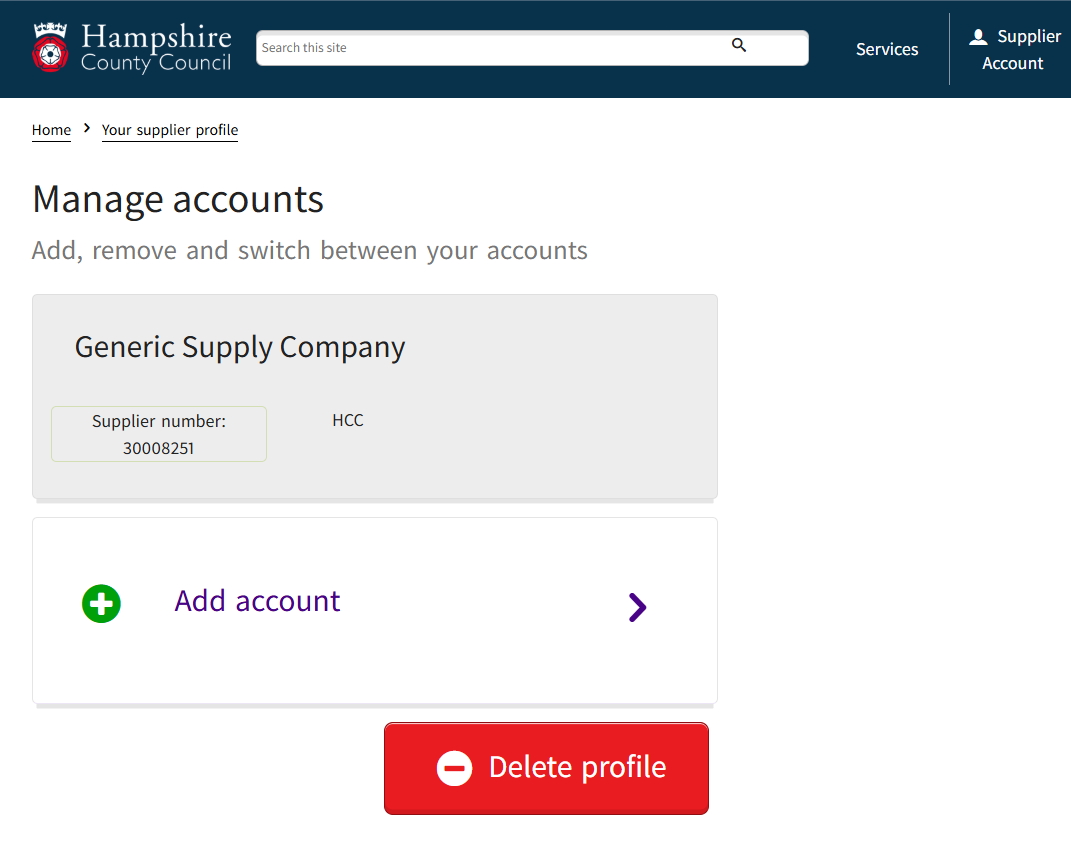
Then add supplier details and enter your OTP.
- Remove a link to a supplier account
-
To remove a link to one of your linked supplier accounts:
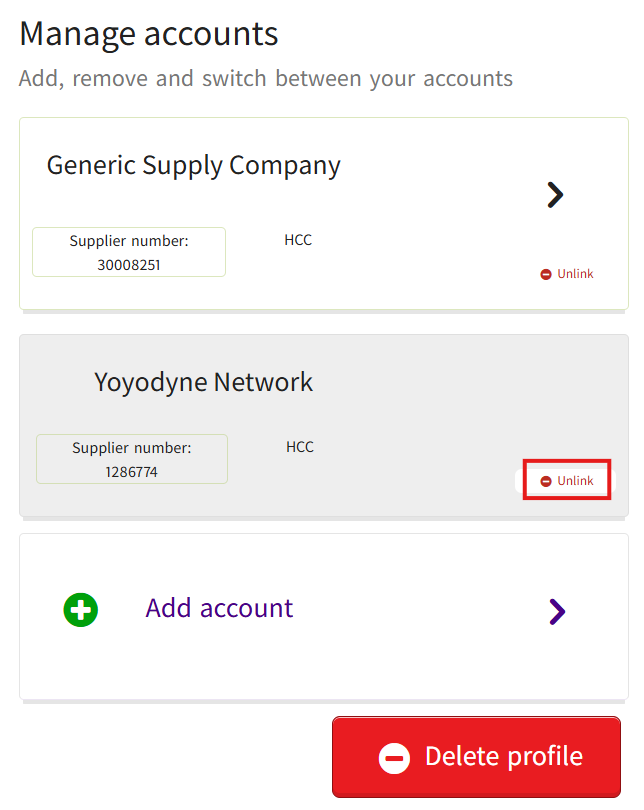
- Select 'Manage Accounts' from the Supplier Account menu. You will be able to view the supplier accounts that are currently linked to your profile
- Find the Supplier account you would like to remove and press 'Unlink'
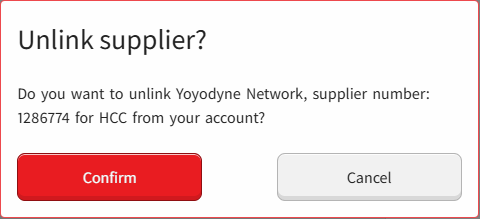
- Press 'Confirm' to remove the linked account
- Switch between linked supplier accounts
-
To switch between your linked supplier accounts:
- Select 'Switch account' in the top right of your screen
- Press on the relevant supplier
After switching you will see the supplier name and number on screen updated to the one you selected.

Note: You can also switch accounts from the Manage Accounts screen.
- Delete a supplier profile
-
Once deleted your Supplier Self-Service profile will be removed immediately and cannot be recovered in the future. The supplier account will not be changed because of the action and will not affect any contractual arrangements with Hampshire County Council and its associated Shared Services partners.
To delete another person’s profile from the account you will need to make an enquiry.
To delete your supplier profile:
- Select 'Manage Accounts' from the Supplier Account menu
- Press 'Delete profile'
- Press 'Yes, delete my profile'