Manage orders, invoices and remittances
You can manage your existing suppliers profile details through your Supplier Self-Service account. Once logged in you can securely access BACS reference numbers, payments, upload invoices and check recent activity.
- View purchase orders (POs)
-
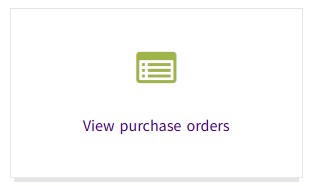
Access your purchase orders quickly and easily, with records available for the current financial year and the two previous financial years. View order details whenever you need them, helping you stay informed and in control. If you require any earlier information, make an enquiry.
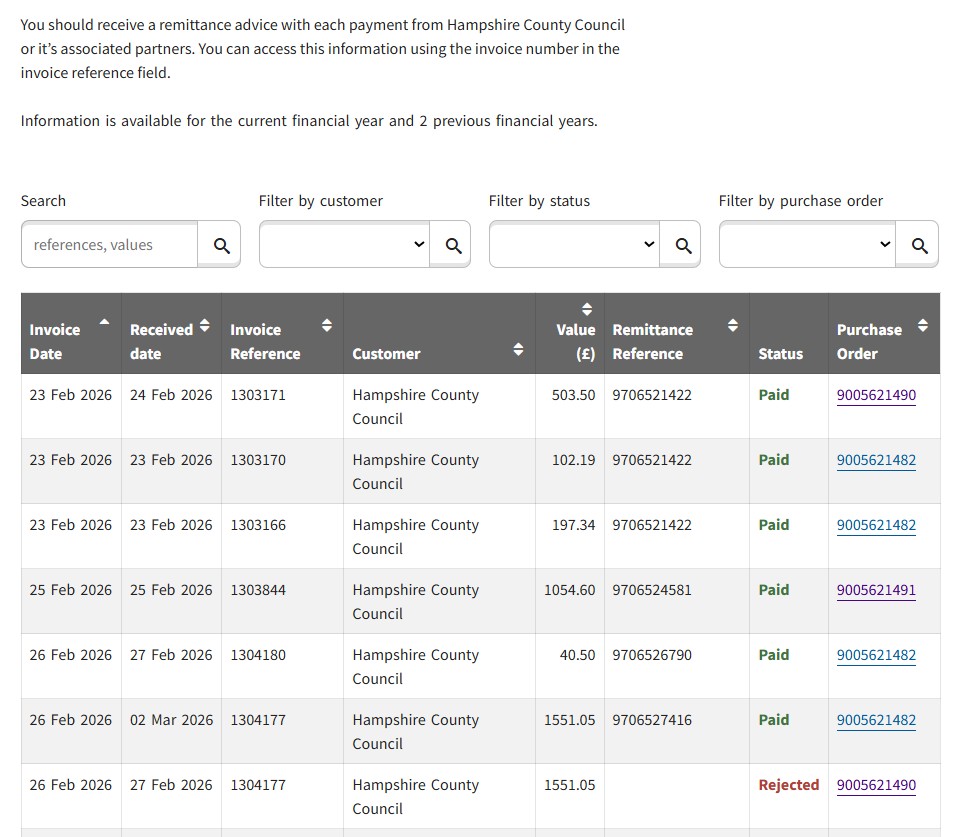
- View invoices, find BACS reference, and payments
-
Within the View invoices tile you can view invoice details, remittance numbers, and the latest invoice status in one convenient place, along with helpful explanations of each status type. Information is available for the current financial year and the two previous financial years (where applicable). If you need details from an earlier period, make an enquiry.
- Upload invoices and check recent activity
-
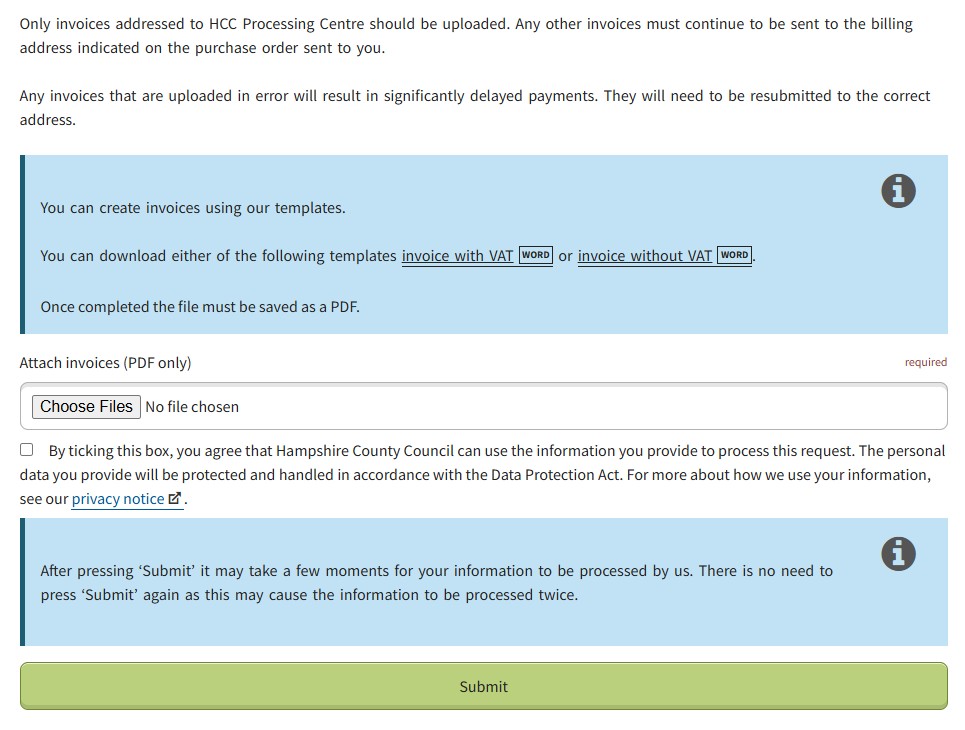
Only invoices addressed to HCC processing should be uploaded. Any other invoices must continue to be sent to the billing address indicated on the purchase order sent to you.
See guidance on getting paid on time, found on the supplier hub, for help with what to include on your invoice, blank standard invoice templates and information on schools billing addresses.

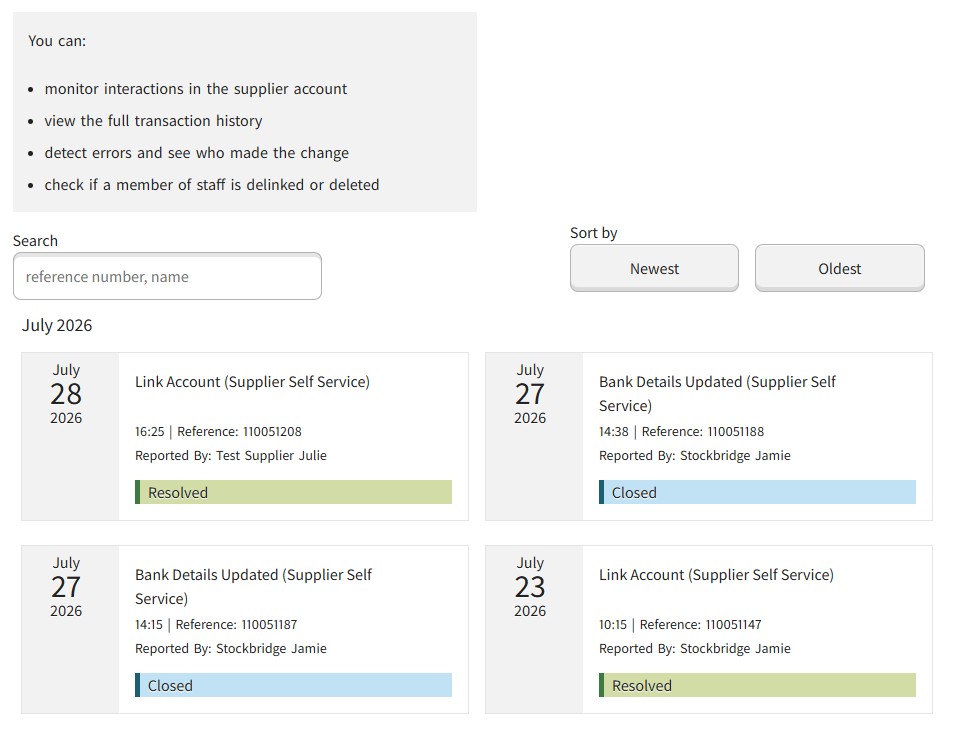
Actions and enquiries related to the Supplier account are shown in the Recent activities list. Each action or enquiry made by an individual linked to the supplier account will generate a referenced activity, detailing who actioned and on which date, along with the current status.
Here you can:
- monitor interactions in the supplier account
- view transaction history
- detect errors and identify who made the change
- check if a member of staff is delinked or deleted